> For the complete documentation index, see [llms.txt](https://docs.onelens.cloud/llms.txt). Markdown versions of documentation pages are available by appending `.md` to page URLs; this page is available as [Markdown](https://docs.onelens.cloud/govern-control-and-governance/cost-center-access-control.md).
# Cost Center Access Control
Cost Centre Based Access ensures users only see and act on the cloud costs they are responsible for.
It is powered by Role-Based Access Control (RBAC) and scoped strictly to assigned cost centres.
This prevents:
* Cross-team visibility
* Unauthorized configuration changes
* Accidental financial exposure
* Governance risk
Every user sees only what they are allowed to see.
No exceptions.
***
## Why Cost Centre Based Access Matters
In growing organizations:
* Finance needs BU-level visibility
* Engineering managers need team-level insight
* Leadership needs aggregated reporting
* External stakeholders need limited access
Without scoped access:
* Sensitive financial data becomes exposed
* Teams see unrelated workloads
* Reporting becomes noisy
* Governance weakens
Cost Centre Based Access solves this by tying access directly to business ownership.
***
## Available Roles
### Admin
Full platform access.
Admins can:
* Manage users
* Configure SSO
* Connect cloud providers
* Edit Business Hierarchy
* Create Virtual Tags
* Manage integrations
* Configure workflows
* Access all cost centres
Admins are organization-wide controllers.
***
### Cost Centre Member
Scoped to assigned cost centre(s) only.
Designed for:
* Business Unit Heads
* Engineering Managers
* Finance Analysts
* Project Owners
* External stakeholders
They see only:
* Assigned cost centres
* Related dashboards
* Related reports
* Related tickets
* Related workflows
* Related policy violations
* Related Kubernetes insights
They cannot modify global configuration.
***
## What Cost Centre Members Can Access
| Module | Access Scope |
| --------------------------- | ------------------------------------------------- |
| Dashboards | Shared dashboards only |
| Cost Analyzer / Reports | Shared reports only |
| Savings Dashboard | Assigned cost centres |
| Policy Violations | Assigned cost centres |
| S3 Optimization | Assigned cost centres |
| Tickets | Create / View / Edit within assigned cost centres |
| Workflows | Create & view within assigned cost centres |
| Cost Watcher | Assigned cost centres |
| Kubernetes Costs & Insights | Assigned cost centres |
| Integrations | ❌ Not Allowed |
| SSO Configuration | ❌ Not Allowed |
| User Management | ❌ Not Allowed |
| Business Hierarchy | ❌ Not Allowed |
| Virtual Tags | ❌ Not Allowed |
All data access is filtered by assigned cost centre.
***
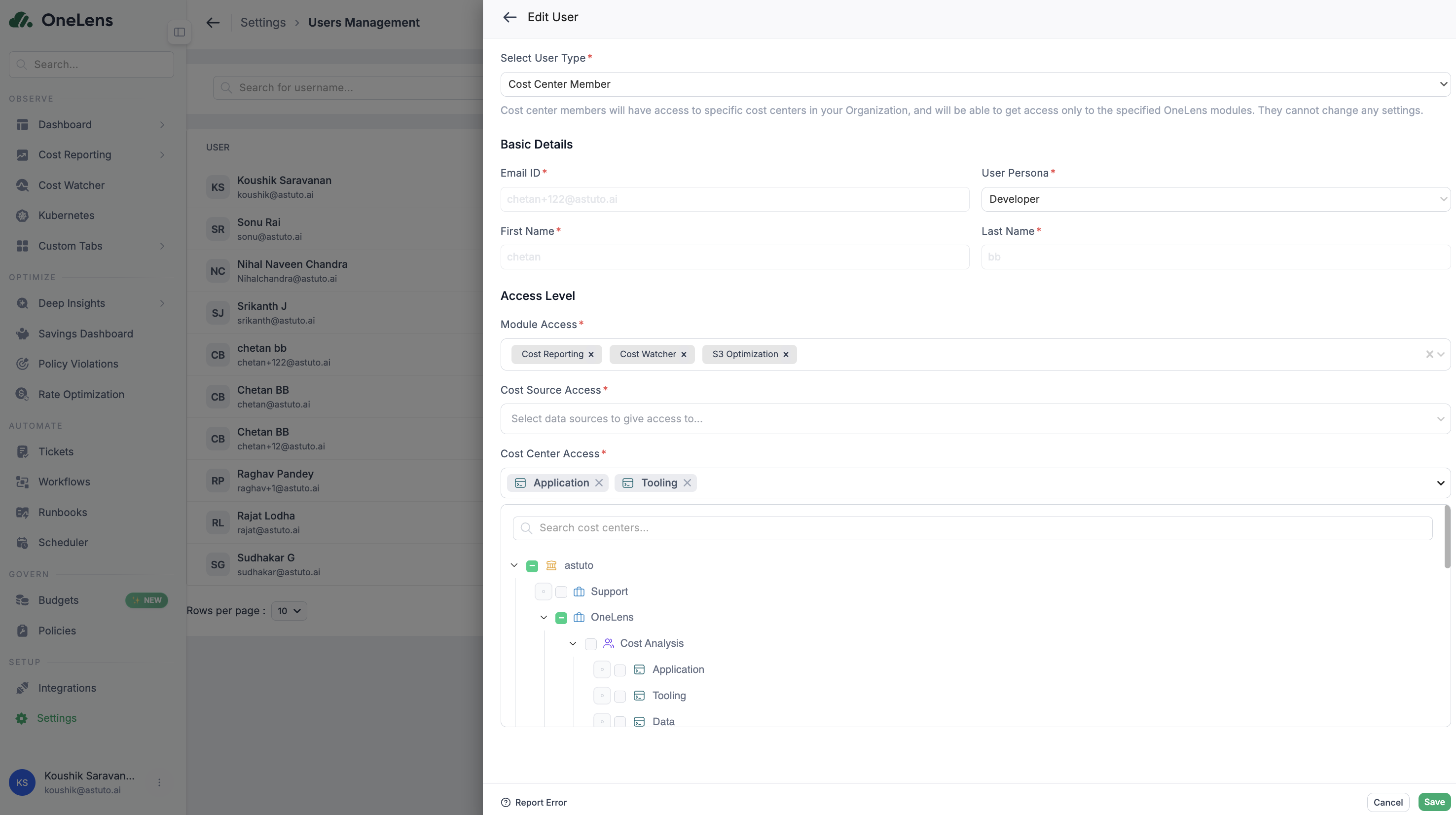
## How to Assign Cost Centre Access
Navigate to:
**Govern → Users → Create User**
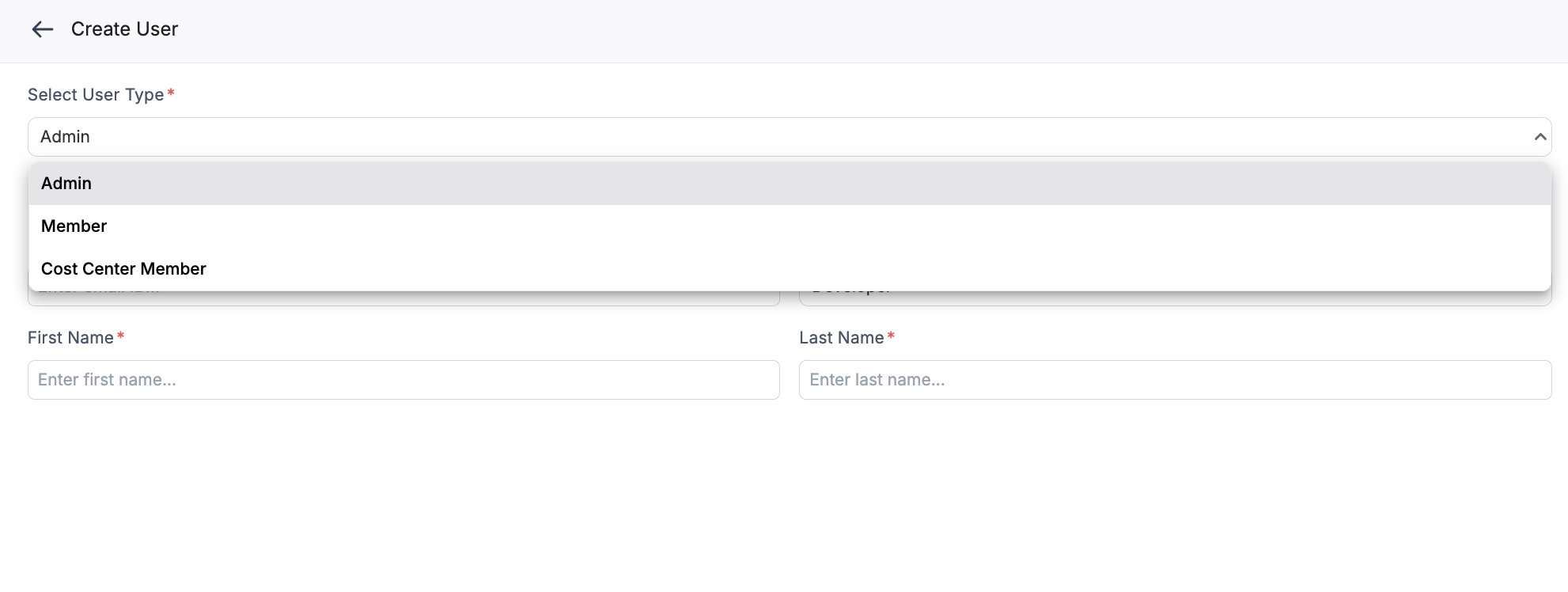
#### Step 1: Select Role
Choose:
* Admin
* Cost Centre Member
#### Step 2: Assign Cost Centre(s)
Select one or multiple cost centres.
Users can have different roles per cost centre (if supported in your current version).
#### Step 3: Select Module Access
Enable only the modules required.
#### Step 4: Select Cost Source Access
Restrict to specific:
* AWS accounts
* Azure subscriptions
* GCP projects
* OCI tenancies
***
***
## How Scoping Works Internally
When a Cost Centre Member logs in:
* Sidebar shows only allowed modules
* Reports automatically filter by assigned cost centre(s)
* Dashboards show scoped data
* Workflows operate only within scope
* Policy violations are filtered
* K8s clusters outside scope are hidden
Global configuration menus are not visible.
This is enforced at the query layer — not just UI filtering.
***
## Example Use Cases
### Engineering Manager
* Assigned to "Platform → Production"
* Can see production costs
* Can create tickets for that cost centre
* Cannot see other BUs
***
### Finance Analyst
* Assigned to multiple BUs
* Can compare BU-level reports
* Cannot modify tagging or hierarchy
***
### External Partner
* Assigned to single project cost centre
* Can view cost reports
* Cannot see other projects
* Cannot access integrations
***
## Relationship to Business Hierarchy
Cost Centre Based Access depends on properly structured cost centres.
Before configuring access, ensure you have:
👉 Configured **Cost Centres & Business Hierarchy**
Access scope is always tied to the hierarchy nodes.
***
## Security & Governance Benefits
Cost Centre Based Access provides:
* Least-privilege access control
* Financial data protection
* Multi-tenant style isolation
* Compliance alignment
* Safe external sharing
It enables governance without blocking collaboration.
***
## Best Practices
* Assign access at the lowest responsible level
* Avoid giving Admin access unless necessary
* Review access quarterly
* Separate Finance vs Engineering scopes
* Use environment segmentation (Production / Non-Production) for tighter control
***
## Summary
Cost Centre Based Access ensures:
* Clear ownership
* Scoped visibility
* Governance control
* Financial security
* Safe collaboration
In OneLens, visibility always follows accountability.
---
# Agent Instructions
This documentation is published with GitBook. GitBook is the documentation platform designed so that both humans and AI agents can read, navigate, and reason over technical content effectively. Learn more at gitbook.com.
## Querying This Documentation
If you need additional information that is not directly available in this page, you can query the documentation dynamically by asking a question.
Perform an HTTP GET request on the current page URL with the `ask` query parameter, and the optional `goal` query parameter:
```
GET https://docs.onelens.cloud/govern-control-and-governance/cost-center-access-control.md?ask=&goal=
```
`ask` is the immediate question: it should be specific, self-contained, and written in natural language.
`goal` is optional and describes the broader end goal you are ultimately trying to accomplish on behalf of the user. GitBook uses it to tailor the answer towards what is most useful for that goal.
The response will contain a direct answer to the question and relevant excerpts and sources from the documentation.
Use this mechanism when the answer is not explicitly present in the current page, you need clarification or additional context, or you want to retrieve related documentation sections.